
eFina Mobile
The smartest financial management app on the market – real-time financial data at your fingertips anytime
With eFina Mobile, you can quickly scan receipts, attachments, and other financial documents—even on the go—and stay up to date on your company’s key figures at a glance. Plus, the receipt scanner’s handy feature automatically populates receipt details from your calendar.

eFina Mobile at a Glance:
- Invoice search and seamless navigation
- Payroll approval
- Completely redesigned travel expense tracking interface
- HR dashboards also available in the app
- eFina newsletters available in the app
- Purchase invoice processing and approval on mobile
- Quick and easy approval of purchase invoices from multiple companies
- Super-fast scanning feature: receipts and, for example, purchase invoice attachments
Intelligently adds additional information from your calendar to receipts - Your company’s key metrics in a graphical and intuitive format
- Pay stubs always at your fingertips
- Easy to use anywhere, anytime
- Reliable and secure user interface
- Works on Apple and Android mobile devices
- Free
Download eFina Mobile from your app store!


Creating Travel Expense Reports Is Now Even Clearer
The user experience for travel expense reports has been completely revamped. The redesigned user interface is clearer and guides users more effectively. At the same time, background functionality has been improved, making the app more reliable even while traveling.
New features include, among others:
- tracking your trip in stages
- creating a travel expense report step by step without worrying about losing data
- clearer options and a more logical workflow

Creating Travel Expense Reports Is Now Even Clearer
The user experience for travel expense reports has been completely revamped. The redesigned user interface is clearer and guides users more effectively. At the same time, background functionality has been improved, making the app more reliable even while traveling.
New features include, among others:
- tracking your trip in stages
- creating a travel expense report step by step without worrying about losing data
- clearer options and a more logical workflow
Better Control Over Incomplete Travel Expense Reports
Processing incomplete travel expense reports is now easier than ever. With the new browsing view, you can:
view incomplete travel expense reports in a single view
finalize them, resume them later, or delete unnecessary ones
merge a previously saved draft travel expense report into a new one
This provides flexibility, especially for mobile workers, and reduces unnecessary adjustments.

Purchase Invoice Approval Now Includes Cost Objects and Invoice Flow
Approving purchase invoices in eFina Mobile is now even more convenient! You can now also manage cost objects and view the invoice flow when approving purchase invoices.
You can now select a company and switch between companies during purchase invoice approval, making it easy to assign the invoice to the correct company. This speeds up and streamlines the process in a multi-company environment where a user has multiple companies in eFina. Switching and selecting a company is now also possible when scanning a receipt. This ensures that receipts are saved to the correct company. The user experience is now smoother and faster than ever.
From the purchase invoice approval screen, you can conveniently add cost centers and view the invoice workflow.

Approving Purchase Invoices on Mobile
Approving purchase invoices with eFina Mobile is easy. To approve a purchase invoice, go to “Purchase Invoices” in the menu, which will display a list of invoices awaiting approval. Click on a specific purchase invoice to view its details, and tap “Download Purchase Invoice” to view an image of the invoice.
You’ll gain access to the new app version and the new purchase invoice approval feature when you update the app to the latest version in your app store. Start using eFina Mobile right away—you’ll save time, make your daily life easier, and make decisions based on up-to-date financial information.
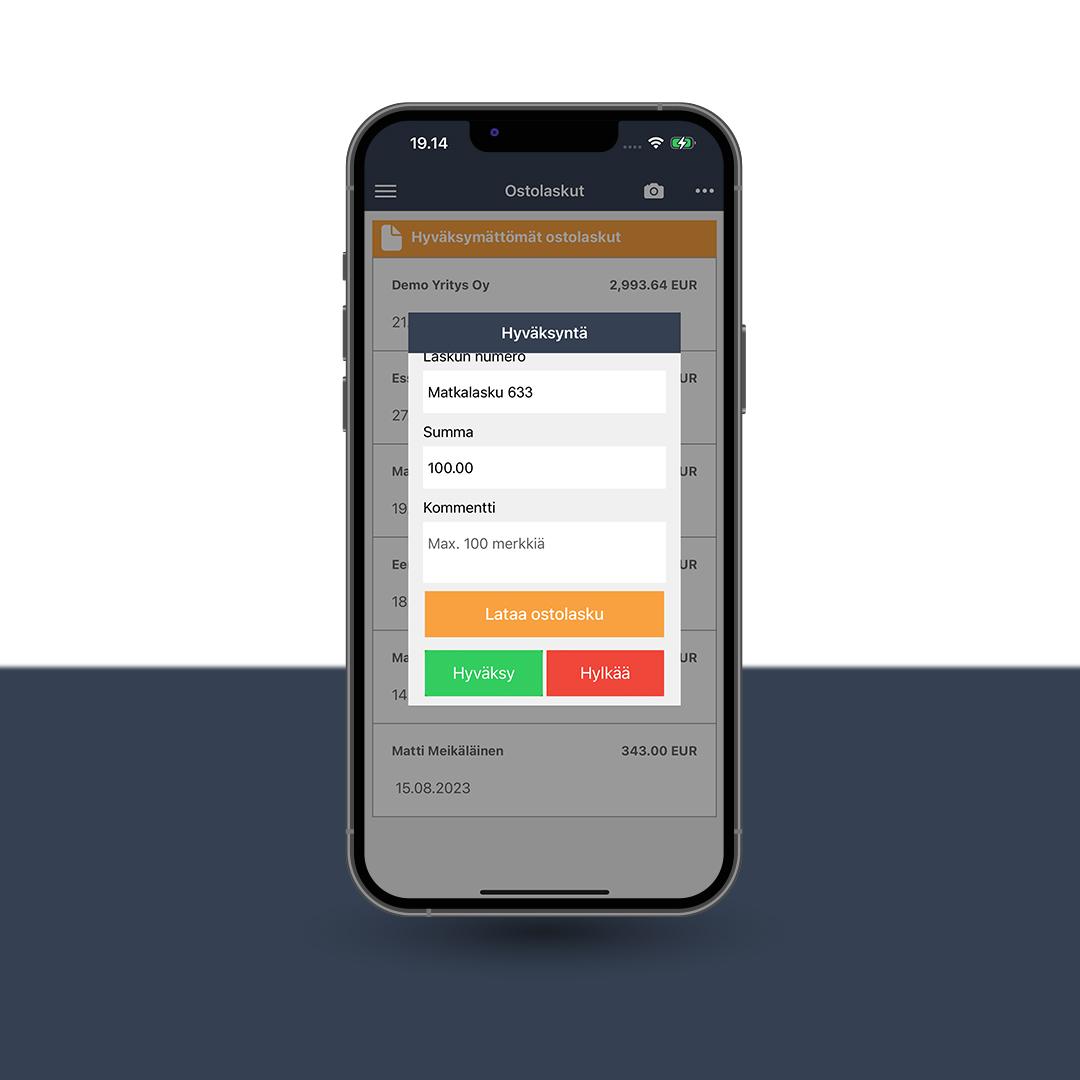
Automatic Travel Expense Report
Create a travel expense report completely automatically using GPS tracking. Creating a travel expense report couldn’t be any faster or easier!
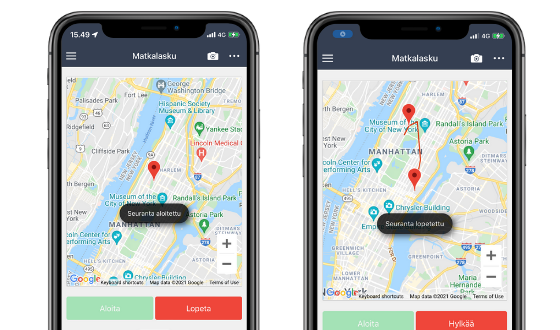
The Dark Mode feature makes it easier to use the app in the evening and at night
Do you also work late into the evening? Workdays sometimes run long—our eFina user data confirms this. The app sees the most activity during office hours, from 8 a.m. to 4 p.m., and again in the evening starting at 9 p.m. That’s when the eFina mobile app gets a lot of use. Thanks to the Dark Mode feature, eFina is comfortable to use even on those dim autumn evenings.
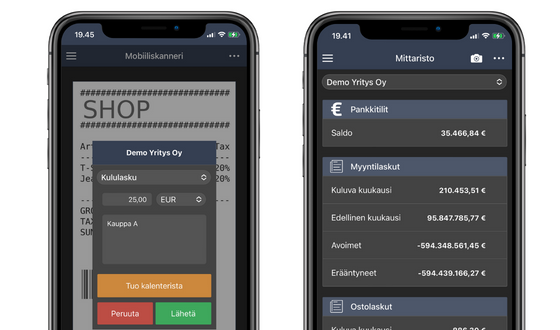
Expense Report from a Receipt in 10 Seconds
You can create an expense report immediately after taking a photo of a receipt, without having to log in separately to eFina’s travel and expense reporting app. This feature significantly speeds up situations where a company reimburses an employee for a purchase. Creating an expense report couldn’t be any faster or easier than this!
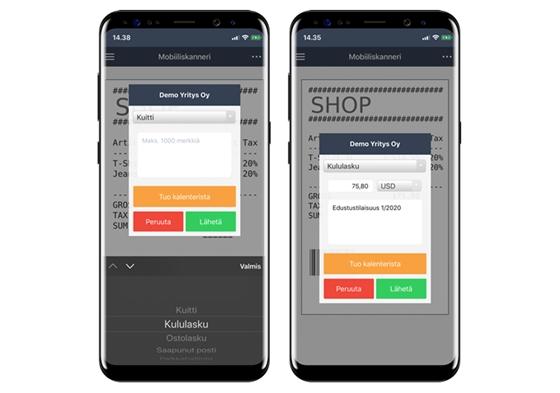
Keep Your Receipts Organised with the eFina Receipt Scanner
With the easy-to-use receipt scanner, you can securely send us all your accounting documents, including receipts, supporting documents, tax cards, and other financial records. The uploaded documents can then be attached to the relevant transactions, such as credit card statements, directly in eFina.
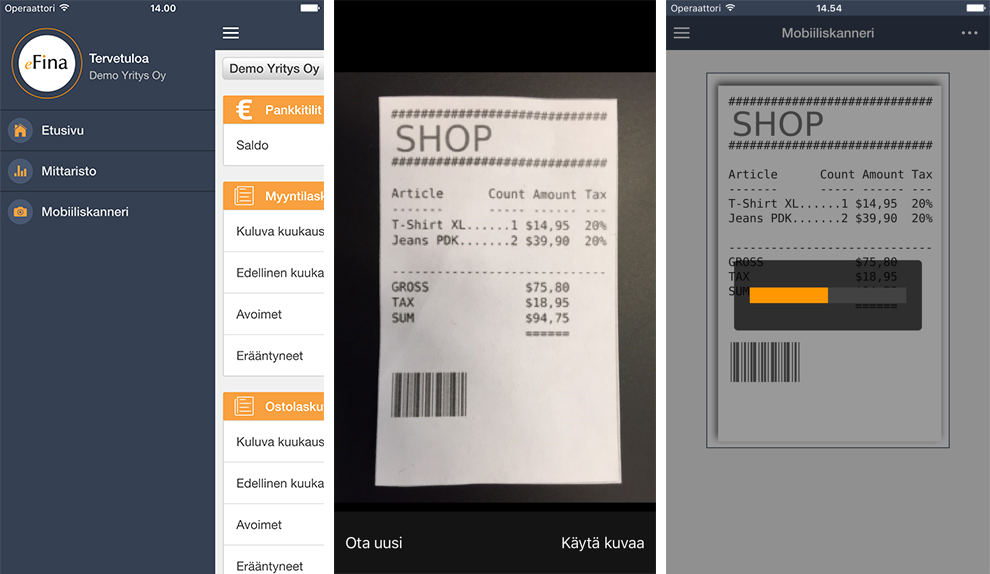
How to use the receipt scanner: eFina Mobile Receipt Scanner User Guide (in Finnish)
Automatic Data Recognition
Optical Character Recognition (OCR) eliminates the need for manual data entry. eFina automatically extracts key information from receipts captured with the Receipt Scanner. The relevant data is transferred directly to eFina, allowing you to immediately add additional details such as the purpose of the expense, attendees, and any other information you wish to record. The extracted data is further enriched by identifying the merchant and its industry.
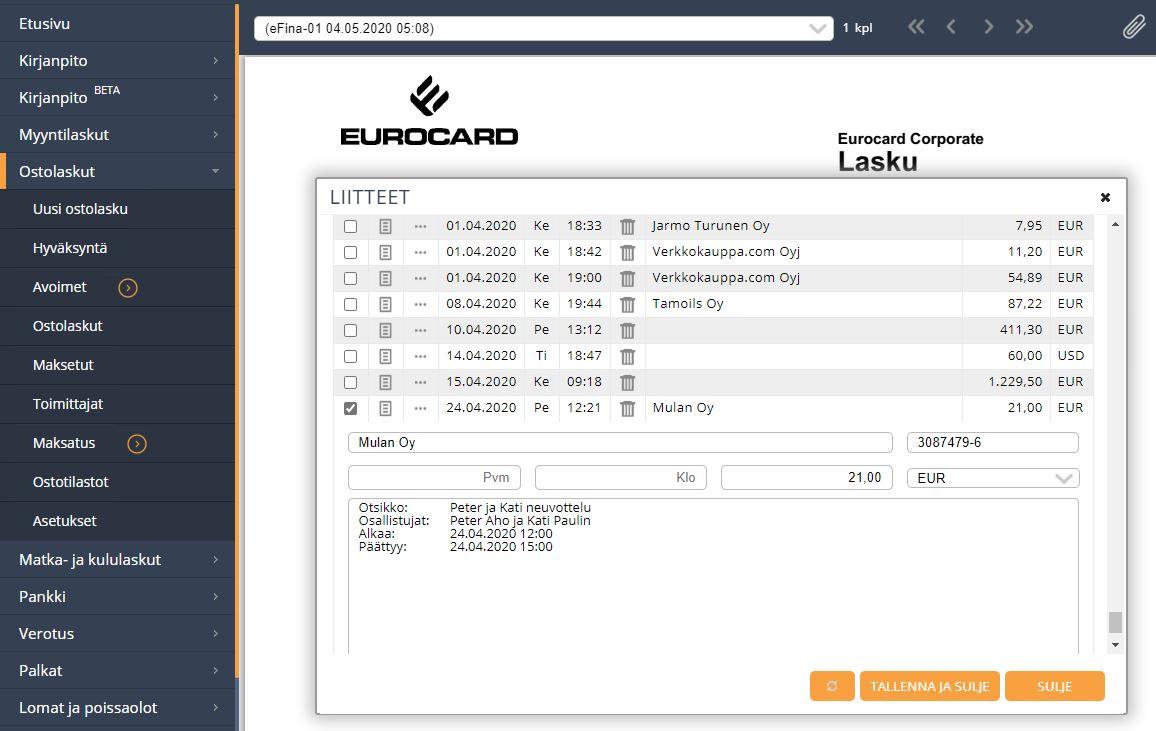
No More Manual Expense Reports – Add Calendar Details to Your Receipts
When you scan a receipt with eFina Mobile, the app displays your calendar, allowing you to link the relevant calendar event to the receipt with a single click. For example, participants, meeting location, and the purpose of a business lunch are automatically added to the receipt’s additional information. If needed, you can still edit or supplement the information manually.
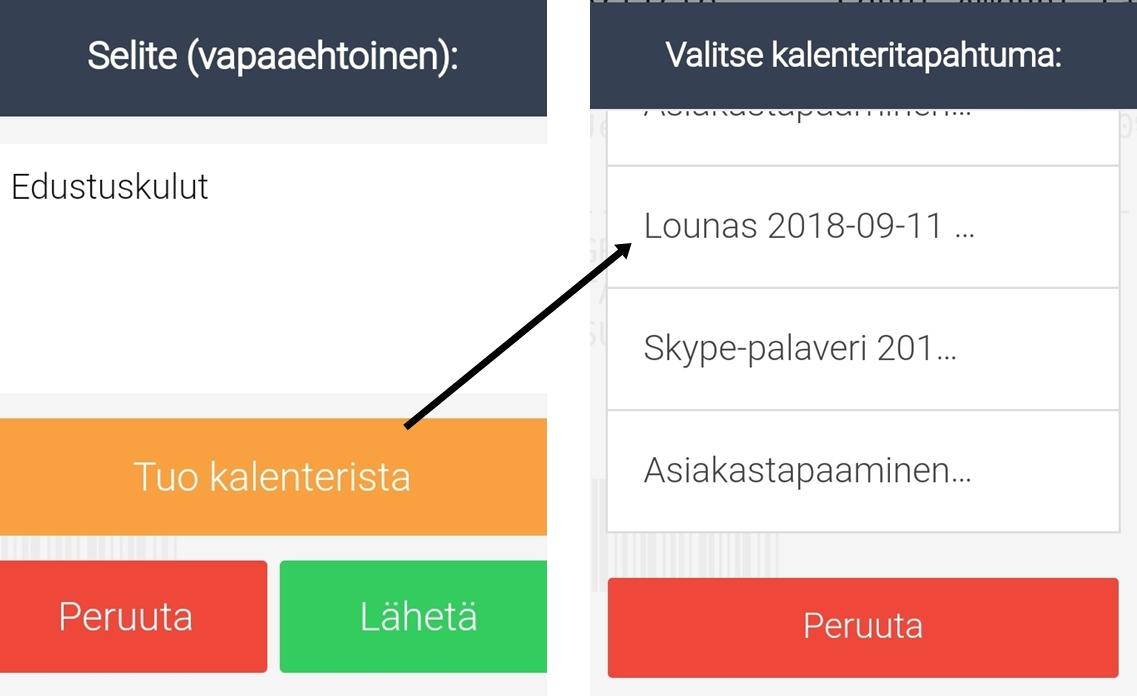
Learn how to use the eFina Mobile Calendar: eFina Mobile Calendar User Guide (in Finnish)
Scanned Receipts
With eFina Mobile, you can easily view scanned attachments, such as receipts. The app provides a list of all attachments scanned using the mobile receipt scanner, allowing you to quickly access and review individual files.
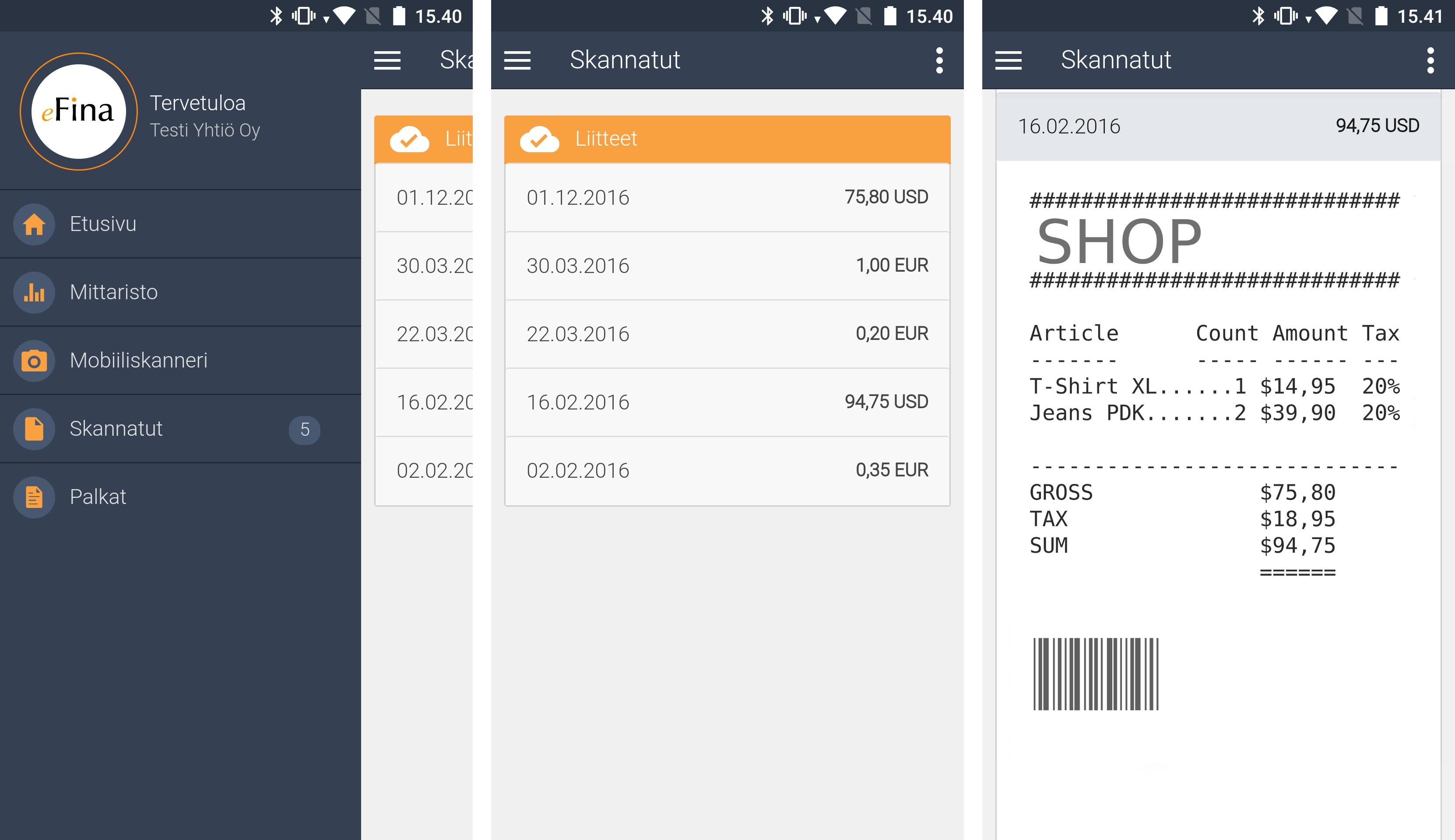
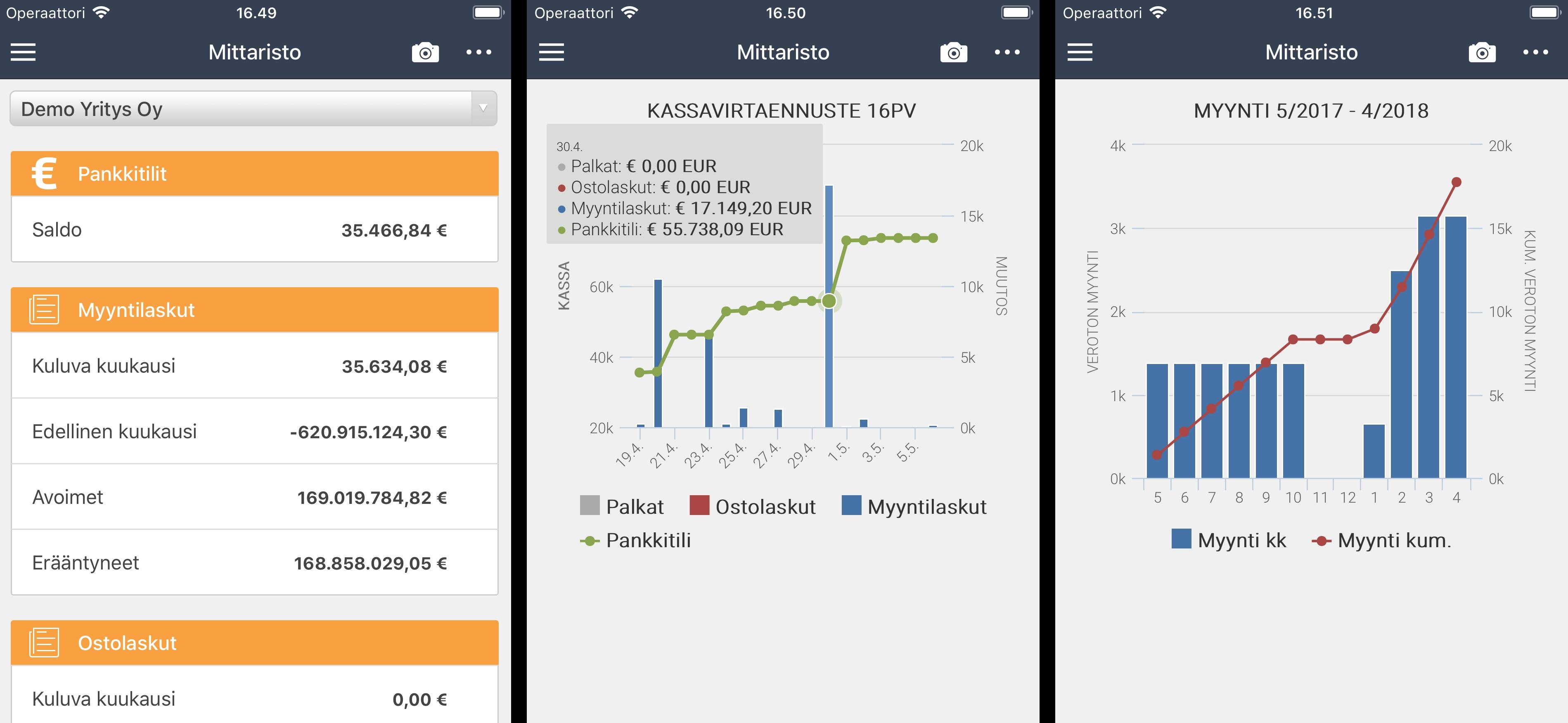
Your Business Dashboard in Your Pocket
eFina Mobile puts your company’s key metrics at your fingertips. View your most important business figures in a clear, visual format – one glance is all it takes. Stay on top of your business wherever you are and make informed decisions based on real-time insights.
How much cash will you have next week? Should you increase your sales efforts?
Payslips Now Available on Mobile
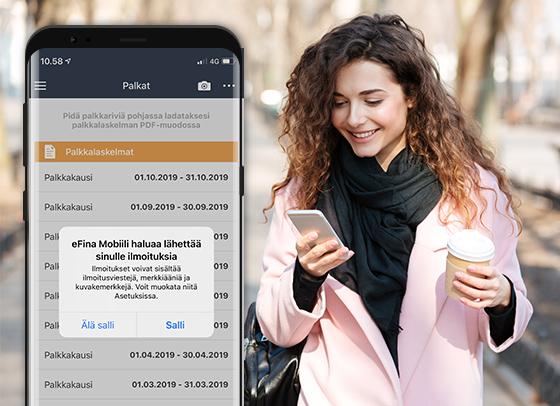
eFina Mobile makes it easy and secure to access your payslips anytime, anywhere. Users can view their payslips directly on their smartphone or through the eFina web portal. Payslips can also be downloaded in PDF format.
Notifications for New Payslips
eFina Mobile notifies users whenever a new payslip is available.
Manage Your Personal Information
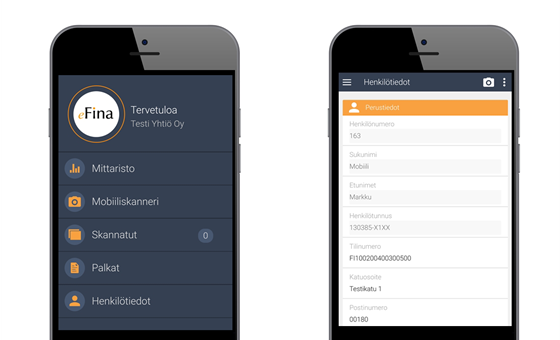
With eFina Mobile, you can update your payroll-related personal information directly in the app whenever it suits you. You can also continue to update your information through the eFina web portal, just as before.
Easily Reach Your Dedicated Contacts
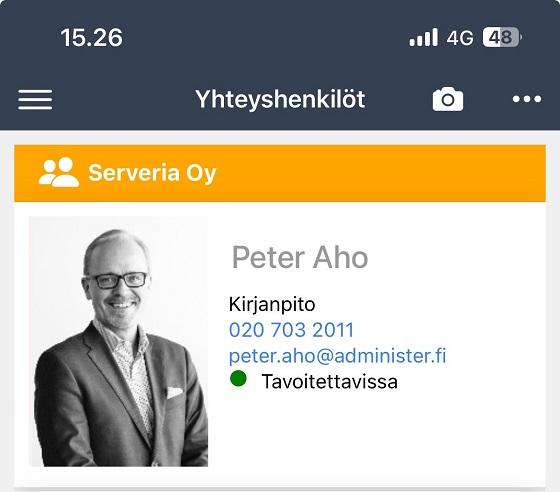
Every Administer customer is assigned dedicated contacts for different service areas. You can conveniently find their contact details on the Contacts page in eFina Mobile. In addition to their contact information, you’ll also see their availability status, making it easier to get in touch with the right person at the right time – no more unnecessary calls.
Effortless File Sharing
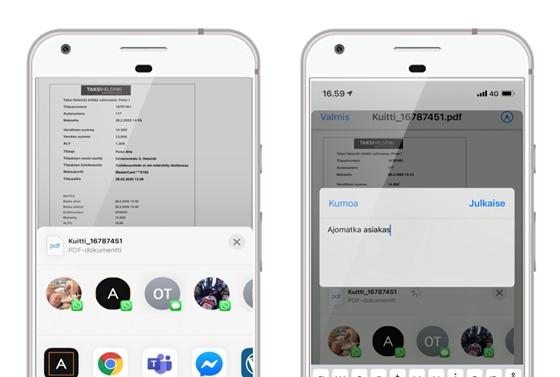
eFina Mobile simplifies the way you send documents and attachments. Share receipts, invoices, email attachments, and other files directly from your phone to eFina using your device’s native Share function. Whether it’s a travel ticket or an invoice received by email, you can forward it to eFina for processing in just a few taps.
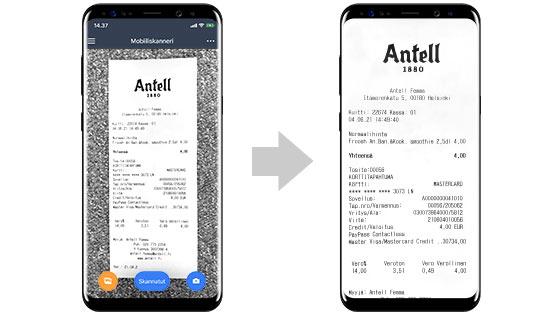
Automatic Receipt Cropping
Simply take a photo of your receipt – eFina Mobile automatically crops the image and removes the unnecessary background. The result is a clear, high-quality receipt image ready for processing.
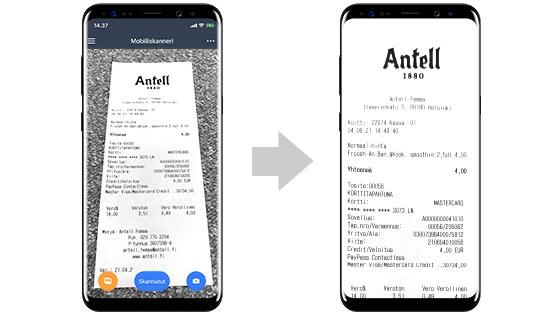
Barrel Distortion Correction
Sometimes it’s not possible to photograph a receipt from directly above, or the photo is taken slightly at an angle by mistake. eFina Mobiili can automatically correct barrel distortion and straighten the image.
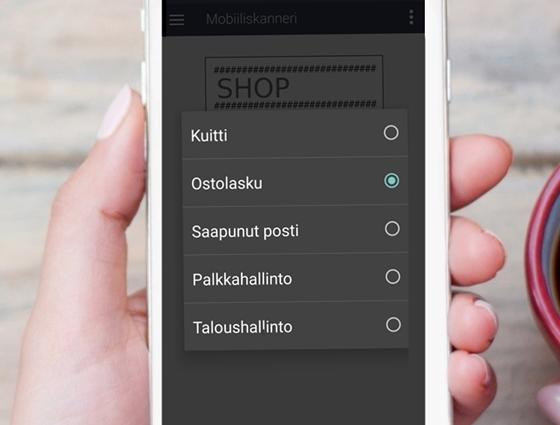
Document Processing
The eFina Mobile Scanner also includes a document scanning feature. This allows every user to submit confidential documents to payroll and financial administration. In addition, with the purchase invoice option, the mobile scanner sends the scanned purchase invoice directly to eFina’s purchase invoice processing.
The storage feature meets the requirements of the new GDPR data protection regulation, and data is always transferred securely and encrypted. Confidential material should no longer be sent by email.
How to Photograph Receipts Correctly
This guide shows you how to always photograph receipts correctly and easily with eFina Mobiili, straight into bookkeeping.
eFina Mobiili – How to Photograph Receipts Correctly (in Finnish)